

For busy Germantown professionals managing tightly packed schedules between corporate offices in Memphis and weekend recreation at Shelby Farms, efficiency is everything. The pioneering Genesis Digital Key eliminates the necessity of carrying a bulky physical key fob altogether. By transforming your smartphone into a secure, fully integrated vehicle access terminal, Genesis blends advanced biometric and wireless engineering seamlessly into your daily rhythm, ensuring your luxury vehicle is always ready at a moment’s notice.
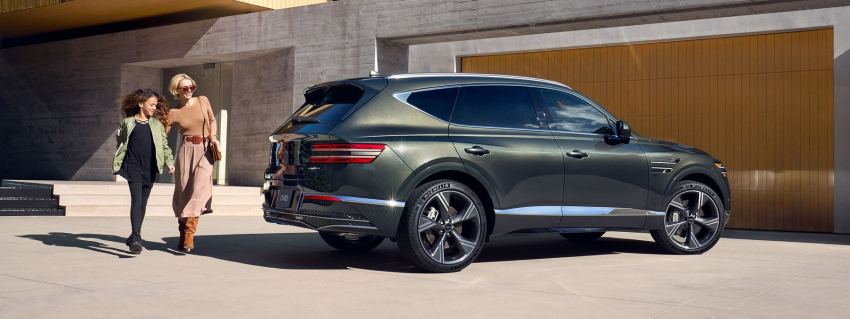
What is the Genesis Digital Key 2?
The latest iteration, known as Digital Key 2, utilizes advanced Ultra-Wideband (UWB) and Near Field Communication (NFC) technologies to deliver absolute vehicle control right from your smart devices. Unlike older systems that require you to hold your phone directly against the door handle, Digital Key 2 recognizes your presence as you approach.
Engineered with comprehensive security protocols, it features robust compatibility across popular ecosystems, specifically supporting:
- Apple Devices: Seamlessly integrates with Apple Wallet on compatible iPhones and Apple Watch models.
- Samsung Devices: Pairs natively with Samsung Wallet on compatible Galaxy smartphones for immediate deployment.
- Hands-Free Proximity Access: Unlock doors, activate customized seat presets, and start the engine while keeping your phone inside your pocket or briefcase.
Step-by-Step: Setting Up the Genesis Digital Key App
Configuring your smartphone access is direct and efficient. Below is the precise walkthrough to pair the MyGenesis app with the breathtaking new 2026 GV80 SUV:
- Prepare Your Essentials: Park your 2026 GV80 safely, ensure you have an active MyGenesis account subscription, and bring both of your physical proximity key fobs inside the vehicle cabin.
- Launch the App: Open the MyGenesis application on your compatible iPhone or Samsung device and log in to your registered profile.
- Initialize Pairing: Navigate to the vehicle dashboard screen within the app, locate the 'Digital Key' option, and tap on 'Set Up Digital Key'.
- Utilize the Wireless Pad: Place your mobile phone directly face-up on the vehicle's internal wireless smartphone charging pad.
- Access Infotainment Menu: Turn the vehicle ignition on. Using the beautiful central infotainment display, select Settings > Vehicle > Digital Key > Smartphone Key, and then tap Register.
- Complete the Link: Keep the device steady on the pad until the system reports a successful pairing. Your phone will automatically save the virtual card into your digital wallet application.
Sharing Access with Family in Collierville
Managing logistics for active households in nearby Collierville requires flexible solutions. Whether sending a family member to pick up groceries or coordinating vehicle access for a teenager heading to afternoon sports practices, the Genesis Digital Key 2 structure handles requests seamlessly.
The primary owner can securely share digital key permissions with up to three people simultaneously. Each shared key can be customized with specific access tiers—such as enabling full driving access or limiting the keyholder strictly to trunk access. Revoking keys is instantaneous, providing peace of mind and eliminating the hazard of lost physical counterparts.
Experience Next-Gen Connectivity Firsthand
Want to see the Genesis Connected Services ecosystem in action? Visit Genesis of Wolfchase today for a personalized demonstration of the innovative digital key suite on our entire inventory of refined luxury vehicles.
Local Genesis Digital Key Frequently Asked Questions
Where can I get hands-on assistance setting up my Genesis Digital Key 2 in the Germantown area?
You can visit our luxury showroom at Genesis of Wolfchase located a short drive from Germantown. Our dedicated technology consultants will walk you through the MyGenesis registration process and configure your smartphone application perfectly.
Does the 2026 Genesis GV80 support both Apple and Samsung devices for the Digital Key 2?
Yes, the 2026 Genesis GV80 features updated advanced hardware that natively supports compatible Apple iPhones, Apple Watches, and Samsung Galaxy devices via secure wireless wallets.
What happens if my phone battery dies while I am away from home in Collierville?
Genesis Digital Key systems include contingency features. On many compatible smartphones, NFC capabilities remain active for a limited number of hours even after the device powers down due to low battery, allowing you to unlock and start your car. Alternatively, you can always carry the premium credit card-sized Genesis Smart Key card in your wallet as a convenient backup.